




Product Information
What is Winapps?
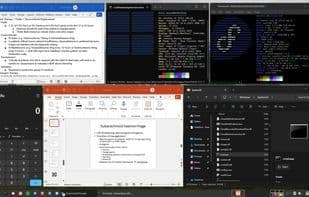
Run Microsoft Office/Adobe and other Windows applications in Linux (Ubuntu/Fedora) and GNOME/KDE as if they were part of the native OS, including Nautilus integration for right-clicking files of specific mime types to open them. WinApps was created as a straightforward command-line method to seamlessly incorporate applications running within a virtual machine (or any RDP server) directly into GNOME, making them appear as native applications. Here's how WinApps works:
• Runs a Windows RDP server in a background VM container
• Checks if applications like Microsoft Office are installed on the RDP server
• If installed, it uses FreeRDP to create shortcuts for both CLI and the GNOME tray
• Files in the home directory are accessible via the \tsclient\home mount inside the VM
• You can also right-click any file in your home directory to open it with the desired application.
How to use Winapps?
Winapps is a tool that allows users to run Windows applications (e.g., Microsoft Office/Adobe) on Linux systems (e.g., Ubuntu/Fedora), integrating them seamlessly into the Linux desktop environment as if they were native apps.
Core Functions of Winapps
Virtualization
Compatibility layer
Run Windows Software
Usage Scenarios of Winapps
- Run Microsoft Office suite on Linux (Ubuntu/Fedora)
- Run Adobe software on Linux (Ubuntu/Fedora)
- Right-click specific file types and open them with Windows apps via Nautilus integration
- Access files of Windows apps running in a virtual machine from a Linux environment
Common Questions about Winapps
What does Winapps do?
How do I use Winapps?
What are the core features of Winapps?
What are the application scenarios for Winapps?



















