
产品信息
什么是 Powershell ise?
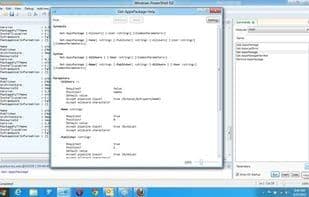
Windows PowerShell 集成脚本环境 (ISE) 是 Windows PowerShell 的主机应用程序。在 WindowsPowershell ISE 中,您可以在基于 Windows 的单个图形用户界面中运行命令并编写、测试和调试脚本,该界面具有多行编辑、制表符完成、语法着色、选择性执行、上下文相关帮助以及对从右到左语言的支持。您可以使用菜单项和键盘快捷键来执行许多与在 Windows PowerShell 控制台中执行的任务相同的任务。 例如,当您在 WindowsPowershell ISE 中调试脚本时,要在脚本中设置行断点,请右键单击代码行,然后单击“切换断点”。
如何使用 Powershell ise?
Powershell ISE 是一个用于 Windows PowerShell 的集成脚本环境,提供一个图形用户界面,使用户能够在一个统一的界面中运行命令、编写、测试和调试脚本。
Powershell ise 的核心功能
脚本支持
Support for scripting
Powershell ise 的使用场景
- 运行 PowerShell 命令
- 编写 PowerShell 脚本
- 测试 PowerShell 脚本
- 调试 PowerShell 脚本
- 在脚本中设置行断点
Powershell ise 的常见问题
Powershell ISE做什么的?
我如何使用Powershell ISE?
Powershell ISE有哪些核心功能?
Powershell ISE有哪些应用场景?